
When an iPhone 6 stutters, is heat, crowded storage, or an aging battery responsible? The interface gives the same answer in every case: a dropped frame, a spinner that lingers, a save that sits there. Thirty-one consecutive days of ordinary carry, from 4 September to 4 October 2023, were used to separate those three possibilities on a single device still running iOS 12.5.x.
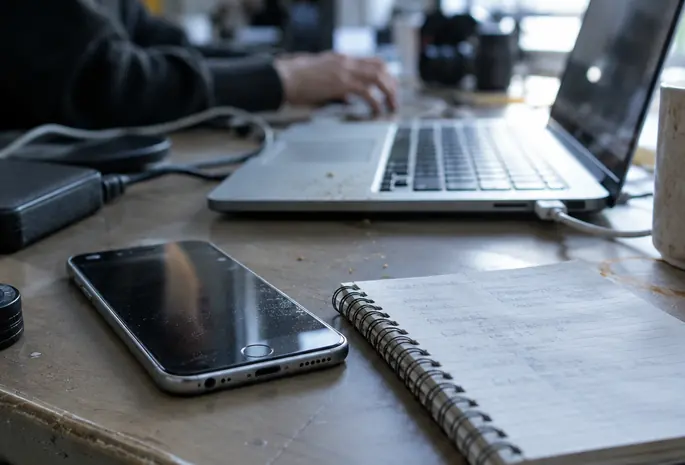
Three Possible Limiters Behind One Identical Hitch
The month was deliberately unremarkable. No synthetic benchmark, no stress loop, no artificial storage fill. Each pause was logged where it happened so it could be tied to the task immediately before it.
Two sequences anchored the whole exercise. The first: a hitch arriving in the middle of a warm 3D gaming session, on a cased phone, after the device had been working steadily for some time. The second: a hitch while saving a file when Settings still reported very little free space. Those two look alike on screen and have almost nothing in common underneath.
A warm case does not establish a thermal limit, and it does not establish battery-related performance management either. Those are distinct mechanisms. Thermal behavior responds to accumulated heat and relieves itself when the device sits idle and cools. Performance management tied to battery condition behaves differently and is documented in Apple’s battery performance guidance. An owner holding a warm phone has one observation, not a diagnosis.
Storage pressure sits in a third category entirely. A file that will not finish writing is a capacity problem until proven otherwise, and no amount of cooling changes it.
The Six Fields Recorded at Every Hitch
This iPhone 6 exposes no internal thermal sensor reading and no frame-time log to a normal owner. Instrumented measurements were therefore set aside, and the diary was restricted to fields any user can actually see.
Six fields were written down each time something stuttered:
- Activity — what the phone was doing at the moment of the hitch
- Plug state — plugged or unplugged, recorded as a state and never as a battery cycle count
- Ambient condition — indoor or outdoor
- Case on or case off
- Free space exactly as listed in Settings
- The specific action that stuttered
Repeat attempts were only treated as comparable when the same app build and the same starting stage or document were used. A different level, a different file, or an app that had updated between attempts broke the comparison and the row was marked as such.
Perceived frame-rate stutter stayed labelled as perception. Nothing in this diary instruments frame delivery, so a hitch is an owner observation and is written as one.
Reading Case Warmth Honestly
Palm-on-case warmth was checked only after 18–25 minutes of continuous 3D play, and it was recorded as case-skin feel. A hand on a plastic or silicone case is a crude proxy for the surface, and the surface is a crude proxy for the silicon. The log never contained an internal SoC thermal sample and should not be read as if it did.
One further constraint applies to everything below: this is one iPhone 6 on one iOS build, carried by one person. Battery wear, installed apps, and ambient climate differ enough between units that these sequences describe a method more reliably than they describe a population.
Reading Sequences: Warm Play Against a Hanging Save
Analysis was organised as sequences rather than as a tally of incidents. For each hitch, four things were read together: what the phone had been doing beforehand, whether it was charging or the case felt warm, what Settings reported for remaining space, and what happened on a retry.
Retries used a fixed rule. After a warm session, the device sat unused for 20–40 minutes before the same stage was repeated under a matching plug state and ambient band.
Sustained demanding use that eased after that idle window is consistent with a thermal limit. Consistent is the correct word. Idle time changes several variables at once, including background activity that may have finished in the meantime, so the sequence narrows the field without closing it.
The other branch behaved differently. Trouble that appeared specifically while downloading, saving, or updating — with a tight free-space reading on the same screen — justifies a storage check before anything else is touched. It still does not prove that space caused the failure.
Confounders Carried on Every Row
Five columns travelled with every entry because an iPhone 6 of this age offers plenty of alternative explanations: battery condition, background activity, network delay, app version, and plain differences between tasks. A download that stalls may be a network problem wearing a storage costume. A game that hitches after an update may be running heavier code than it did last week.
Rows where two or more confounders moved together were logged as inconclusive and left that way.
What Freeing Space Changed on iOS 12.5.x, and What It Left Alone
Cleanup came after the diagnosis step, applied only to sequences already tagged as space-constrained. The order was fixed:
- Inspect storage at Settings > General > iPhone Storage on iOS 12.5.x and read what is actually consuming capacity.
- List expendable items first — cached downloads, offline media, duplicated files that exist elsewhere.
- Back up anything still wanted before a single deletion.
- Delete, then repeat the same save or update that failed.
iFreeUp, or a comparable utility that still installs and runs under this iOS build, occupies a narrow slot in that workflow. It recovers accessible storage. Recovering accessible storage can unblock a workflow that was starved of room to write. It does not restore an aging battery, and it does not remove a genuine thermal limit on a phone that has been rendering 3D for twenty minutes. Cleanup tooling discussed here is limited to what still runs on iOS 12.5.x; cleaners that require a later iOS sit outside this workflow entirely.
Before the Before/After Note
A before-and-after comparison was written only when plug state, case on or off, and the indoor/outdoor band matched the earlier attempt. Where conditions drifted, no comparison was recorded. Recovered gigabytes are not evidence of a speed gain on their own.
Where a retry under matched conditions behaved exactly as it had before, the log says so. Flat results are part of the record, and suppressing them would convert a diary into a sales sheet.
Picking the Branch That Matches Your Reproducible Stutter
The month supports a short decision path keyed to the stutter an owner can actually reproduce.
- A save or update that fails: inspect free space in Settings before changing anything else.
- A hitch during demanding play on a warm device: leave it idle for 20–40 minutes, then repeat the same stage under matching conditions.
- Hitching that persists across ordinary tasks: investigate battery condition rather than running another cleanup pass.
What The Diary Can Carry
Thirty-one days of owner-visible fields can route a problem toward the right check. They cannot promote a correlation into a cause, and several days ended with nothing conclusive at all.
Which slowdown can you reproduce on demand — and what changes when you remove its suspected cause?